
Kia Forte: Smart Cruise Control / To convert to cruise control mode
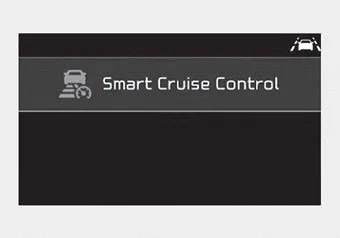
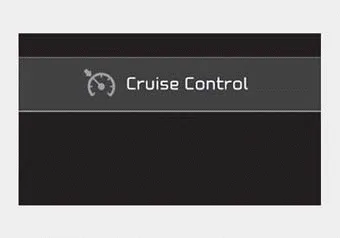
The driver may choose to only use the cruise control mode (speed control function) by doing as follows:
1. Turn the smart cruise control system on (the cruise indicator light will be on but the system will not be activated).
2. Push the distance to distance switch for more than 2 seconds.
3. Choose between "Smart Cruise Control" and "Cruise Control".
When the system is canceled using the CRUISE button or the CRUISE button is used after the engine is turned on, the Smart Cruise Control mode will turn on.
WARNING
When using the cruise control mode, you must manually assess the distance to other vehicles as the system will not automatically brake to slow down for other vehicles.
The sensitivity of vehicle speed when following the front vehicle to maintain the set distance can be adjusted. Go to the User Settings Mode (Driver Assistance) and SCC Reaction.
The smart cruise control system may have limits to its ability to detect distance to the vehicle ahead due to road and traffic conditions. On curves On curves, the smart cruise control system may not immediately detect a moving vehicle in your lane, and then your vehicle could accelerate to the set speed.
Other information:
Kia Forte 2019-2024 (BD) Owner's Manual: Checking the tire inflation pressure
1.After driving approximately 7~10 km (4~6 miles) or about 10 minutes, stop at a suitable location. 2.Connect the filling hose (3) of the compressor (clip mounted side) directly and then connect the filling hose (3) (opposite side) to the tire valve.
Kia Forte 2019-2024 (BD) Owner's Manual: Air cleaner
Filter replacement The air filter must be replaced when necessary, and should not be washed. While inspecting the air cleaner compartment, the air filter can be cleaned using compressed air. 1. Loosen the air cleaner cover attaching clips and open the cover.
Categories
- Manuals Home
- Kia Forte Owners Manual
- Specifications & Consumer information
- Maintenance
- Features of your vehicle
- New on site
- Most important about car
