
Kia Forte: Instrument cluster / Instrument Cluster Control
Adjusting Instrument Cluster Illumination
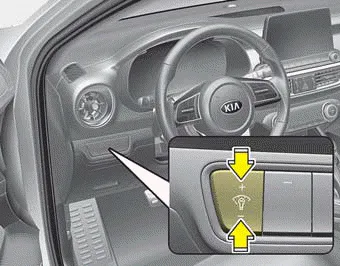
The instrument panel illumination intensity can be adjusted by pressing the control switch with the headlight switch in any position when the ignition switch is in the ON position.
The illumination intensity is shown on the instrument cluster LCD window.
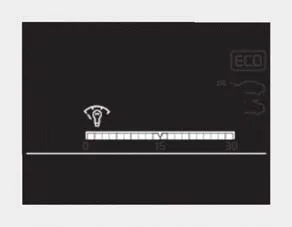
■ Type A
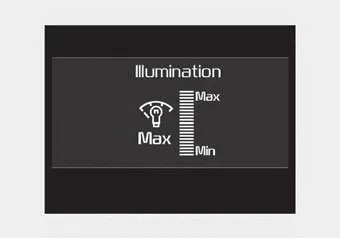
■ Type B
- If you hold the illumination control button (“+” or “-”), the brightness will be changed continuously.
- If the brightness reaches the maximum or minimum level, an alarm will sound.
■ Type A ■ Type B ■ Type C 1. Tachometer 2. Speedometer 3. Engine coolant temperature gauge 4. Fuel gauge 5.Warning and indicator lights 6.
■ Type A ■ Type B ■ Type C The LCD window modes can be changed by using the control buttons on the steering wheel. [Type A] (1) TRIP : TRIP button for changing trip modes (2) RESET : RESET button for resetting items [Type B,C] (1) : MODE button for change LCD MODES (2) / : MOVE scroll switch to select items (3) OK : SET/RESET button for setting or resetting items
Other information:
Kia Forte 2019-2024 (BD) Owner's Manual: Notes on the safe use of the Tire Mobility Kit
Park your car at the side of the road so that you can work with the Tire Mobility Kit away from moving traffic. To be sure your vehicle will not move, even when you're on fairly level ground, always set your parking brake. Only use the Tire Mobility Kit for sealing/inflation passenger car tires.
Kia Forte 2019-2024 (BD) Owner's Manual: Specifications & Consumer information
Dimensions Engine Bulb wattage Tires and wheels CAUTION When replacing tires, use the same size originally supplied with the vehicle. Using tires of a different size can damage the related parts or make them work irregularly. ✽ NOTICE It is permissible to add 21 kPa (3 psi) to the standard tire pressure specificatio
Categories
- Manuals Home
- Kia Forte Owners Manual
- Normal Maintenance Schedule - Turbo Models
- Folding the rear seat
- Features of your vehicle
- New on site
- Most important about car
